How to Simplify Safety Planning with a No Monthly Fee Fall Detection Alarm
Understanding the Basics of Fall Detection Alarms
Safety planning for yourself or an older relative often starts with one question: what happens if someone falls and cannot get up? A fall detection alarm can answer that, but the traditional model of paying a monthly fee for a monitoring service adds ongoing cost and complexity. No monthly fee alarms offer a different approach, letting you buy the device once and keep it working without recurring bills. This article walks through the practical steps to set up and use such an alarm effectively, from choosing the right device to testing it in your home.
Step 1: Choose the Right Device for Your Situation
The first step is picking a fall detection alarm that fits the person's lifestyle and home environment. Not all devices are the same, so consider these factors:
Fall Detection Accuracy
Look for an alarm that uses multiple sensors to detect a fall. Some devices rely on a single accelerometer, while others combine accelerometer data with gyroscope readings to reduce false alerts. A good fall detection alarm should distinguish between a sudden drop and everyday movements like bending over or sitting down quickly. Check product descriptions for terms like "auto-detect" or "smart sensor" and see if the manufacturer provides details on how the algorithm works.
GPS Tracking and Range
If the person is active outdoors, GPS tracking becomes important. A device with built-in GPS can send location data to family members or emergency contacts when a fall is detected. For indoor use only, a home-based system with a range of 200 to 400 metres may be sufficient. Think about where the person spends most of their time: at home, in the garden, or out running errands. The alarm range should cover those areas without gaps.
Two Way Calling
Two way calling lets the person speak directly to a family member or responder through the device. This feature is useful because it allows a quick check-in: is the person okay, or do they need help? Some alarms include a speaker and microphone built into the pendant, so no extra equipment is needed. Make sure the audio quality is clear enough for an older person to hear and be heard, especially in noisy environments.

Step 2: Set Up the Alarm Without Monthly Fees
No monthly fee alarms work differently from subscription-based services. Instead of paying a monitoring centre every month, you buy the device outright and manage alerts yourself. This step involves configuring the device to contact the right people.
Register Emergency Contacts
Most devices let you program a list of phone numbers for family members, neighbours, or friends. When the SOS button is pressed or a fall is detected, the alarm calls these numbers in order until someone answers. Choose contacts who are likely to be available during the day and night. It helps to have at least three contacts in case the first two are busy. Some devices also allow you to add a backup contact who lives nearby.
Set Up the Base Station or Hub
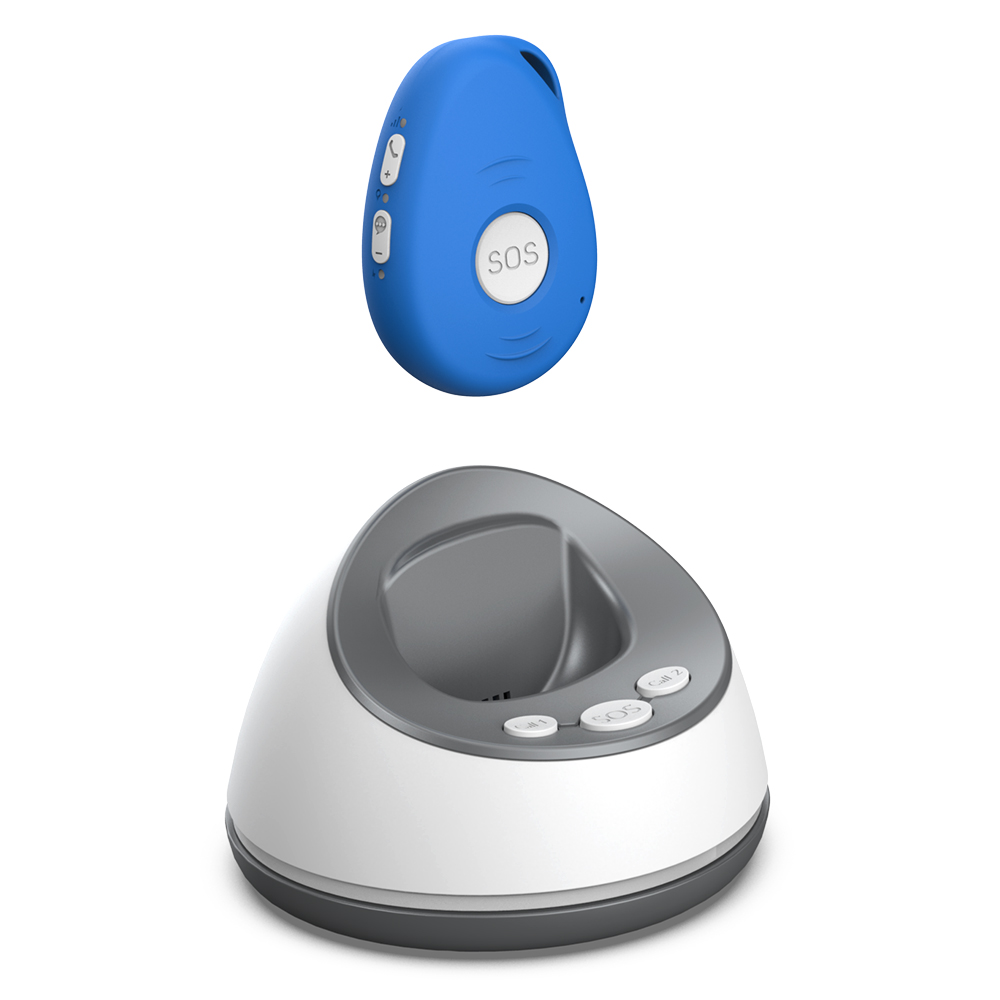
If the alarm uses a base station, place it in a central location where it can communicate with the pendant throughout the home. Avoid putting it near thick walls, metal appliances, or large electronic devices that could interfere with the signal. Follow the manufacturer's instructions for pairing the pendant with the base station. This usually involves pressing a button on the base and then on the pendant until they connect. Test the connection by pressing the SOS button and confirming that the base station responds.
Configure GPS and Location Sharing
For devices with GPS tracking, you may need to enable location sharing through a companion app. This step allows family members to see the person's location in real time if they are outdoors. Some alarms send a text message with a map link when a fall is detected. Make sure the person's phone number is entered correctly and that the app has permission to access location services. Test this by simulating a fall detection event and checking that the location data arrives accurately.
Step 3: Integrate the Alarm into Daily Life
A fall detection alarm is only useful if the person wears it consistently. The next step is making the device a natural part of their routine.
Choose a Comfortable Wearing Method
Most alarms come as a pendant worn around the neck or as a wristband. Some people prefer a pendant because it is easy to reach, while others find a wristband less intrusive. Let the person try both options if possible. The device should be worn all day, so comfort matters. Waterproof or water-resistant models are ideal for showering, which is a common time for falls.
Create a Charging Routine
Battery life varies between devices. Some last several weeks on a single charge, while others need charging every few days. Set a regular charging schedule, such as overnight once a week, to avoid the alarm running out of power. Many devices have a low-battery indicator that sends a reminder to the user or their family. If the alarm uses replaceable batteries, keep spares on hand and note the battery type in a visible place.
Educate the Household
Everyone in the home should know how the alarm works and what to do when it activates. Explain that the SOS button is for emergencies only, not for general calls. Show family members how to respond to an alert: answer the call, speak calmly, and decide whether to visit or call for medical help. Practice a few scenarios so the process becomes second nature.

Step 4: Test the Alarm Regularly
Testing ensures the device works when needed. Make it a monthly habit to check the alarm's functions.
Test Fall Detection
Some devices have a test mode that simulates a fall without triggering a real alert. Use this feature to confirm that the sensors are working. If the device does not have a test mode, you can carefully drop the pendant onto a soft surface from a low height to see if it detects the motion. Check the manufacturer's guidance on testing to avoid damaging the device.
Check SOS Button and Two Way Calling
Press the SOS button and wait for the call to go through to a contact. Verify that the two way calling is clear and that the contact can hear the person. If the call does not connect, check the phone numbers programmed in the device and ensure the base station or cellular connection is active. Repeat this test with each emergency contact to confirm all numbers work.
Verify GPS and Location Accuracy
For GPS-equipped alarms, take the device outside and trigger a test alert. Confirm that the location sent to the family member matches where you are. If the location is off by more than a few metres, check for obstructions like tall buildings or dense tree cover. Some devices allow you to update the GPS antenna position or recalibrate through the app.
Step 5: Review and Adjust the Safety Plan
Safety planning is not a one-time task. As the person's health or living situation changes, the alarm setup may need adjustments.
Update Emergency Contacts
If a contact moves away or becomes unavailable, replace them with someone else. Keep the list current so there is always someone to answer the call. Review the contact list every six months or after any major life change, such as a hospital stay or a move.
Consider Adding a Backup Device
A single alarm can fail due to battery drain, damage, or loss. Having a second device, even a basic one without fall detection, provides a backup. Some families keep a spare pendant in a drawer and rotate it into use when the primary device is charging. This is especially useful for people who are prone to forgetting to wear the alarm.
Monitor Battery Life and Device Condition
Over time, battery performance may degrade. If the alarm needs charging more frequently than when new, consider replacing the battery or the device itself. Inspect the pendant for cracks, loose straps, or worn buttons. A damaged device may not function correctly in an emergency. Many no monthly fee alarms are built to last for years, but regular checks help catch issues early.
One option to explore is familyr.co.nz, which offers personal medical alarms with SOS alerts, GPS tracking, fall detection, two way calling, and family support without monthly fees. This approach removes the burden of ongoing payments and puts the focus on the device itself. By following the steps above, you can create a safety plan that is straightforward, reliable, and tailored to the person's needs.
For anyone looking to simplify their safety planning, a no monthly fee fall detection alarm removes the worry of recurring costs. The key is to choose a device that matches the person's activity level, set it up with clear contacts, and test it regularly. With the right preparation, the alarm becomes a quiet companion that offers peace of mind without adding complexity to daily life. Remember to check the device's features, such as GPS tracking and two way calling, to ensure they meet your specific needs. A well-chosen alarm from a provider like familyr.co.nz can be a practical addition to any home, supporting independence while keeping safety front of mind.